
Windows Terminal Review is a topic gaining attention among developers, IT professionals, system administrators, and Windows power users. As modern computing continues to evolve, command-line tools remain essential for productivity, automation, troubleshooting, and software development.
- What Is Windows Terminal?
- Why Modern Terminal Applications Matter
- A Unified Command-Line Experience
- Fast Performance and Modern Design
- Powerful Customization Options
- PowerShell Integration
- Windows Subsystem for Linux (WSL) Support
- Tab Management and Productivity
- Developer-Friendly Features
- User Experience and Accessibility
- Who Should Use Windows Terminal?
- Strengths of Windows Terminal
- Unified Interface
- Extensive Customization
- WSL Integration
- Modern Performance
- Professional Workflow Support
- Potential Areas for Improvement
- Why Windows Terminal Stands Out
- Final Thoughts
For years, Windows users relied on traditional command-line applications such as Command Prompt and PowerShell. While these tools remain important, the introduction of Windows Terminal has transformed the command-line experience by offering a faster, more modern, and highly customizable environment.
This detailed Windows Terminal Review explores the application’s features, benefits, customization options, and why it has become a preferred terminal solution for millions of Windows users.
What Is Windows Terminal?
Every comprehensive Windows Terminal Review should begin by understanding what the application is designed to do.
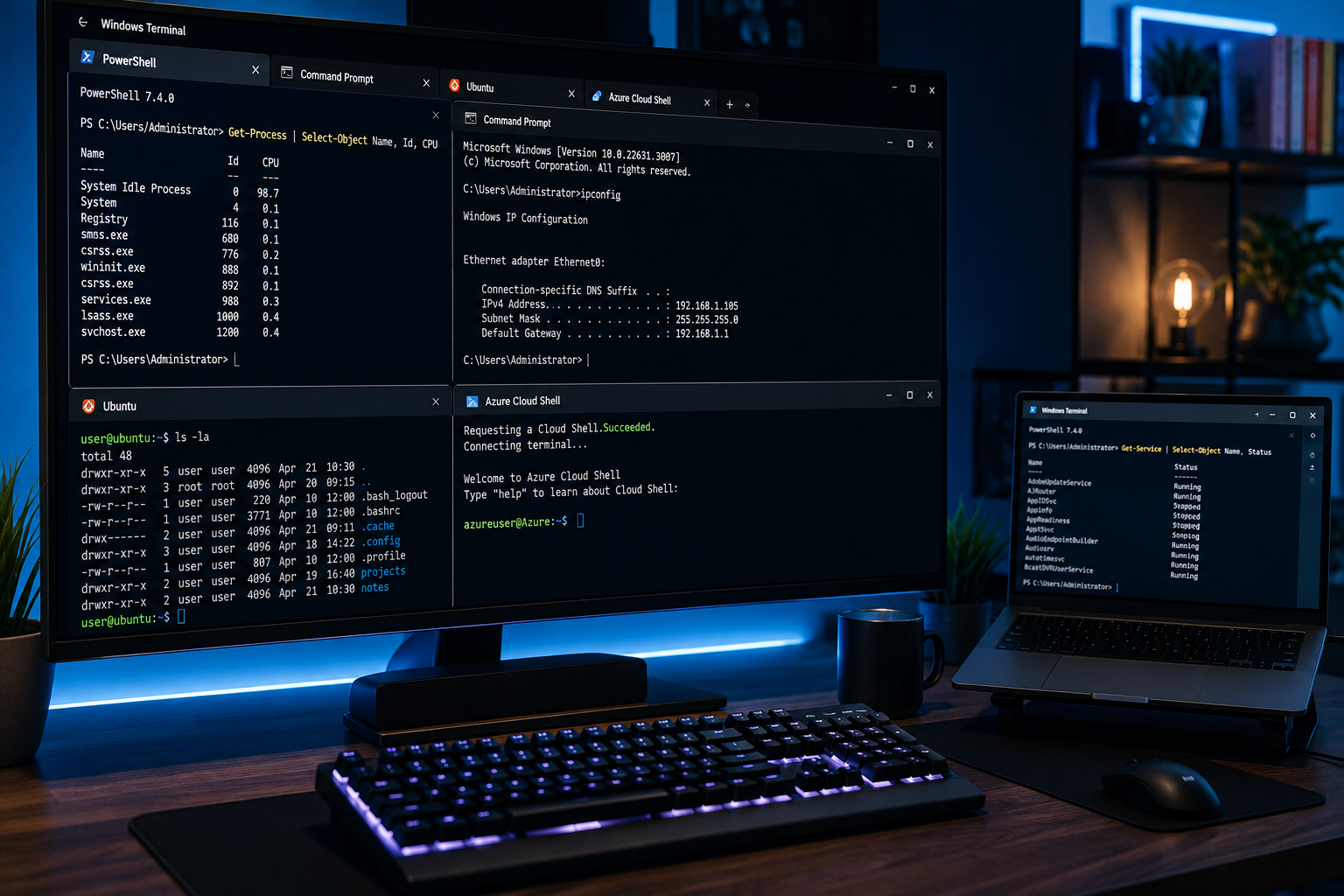
Windows Terminal is a modern terminal application developed for Windows that provides access to multiple command-line environments from a single interface.
It supports:
- Command Prompt (CMD)
- PowerShell
- Windows Subsystem for Linux (WSL)
- Azure Cloud Shell
- SSH sessions
- Custom command-line profiles
Instead of opening multiple windows for different tools, users can manage everything within a single, organized terminal environment.
This unified approach significantly improves workflow efficiency and user experience.
Why Modern Terminal Applications Matter
One of the key themes throughout this Windows Terminal Review is productivity.
Many users spend hours every day working with command-line tools.
Developers write code.
System administrators manage servers.
IT professionals troubleshoot issues.
A modern terminal application helps streamline these tasks while reducing unnecessary complexity.
Windows Terminal provides a faster and more flexible experience compared to older command-line interfaces.
A Unified Command-Line Experience
A major strength highlighted in this Windows Terminal Review is its ability to bring multiple command-line tools together.
Traditionally, users had to open separate windows for:
- CMD
- PowerShell
- Linux shells
- Remote connections
Windows Terminal eliminates this problem.
Managing Multiple Environments
Users can create tabs for different environments and switch between them instantly.
For example:
- One tab for PowerShell
- One tab for CMD
- One tab for Ubuntu via WSL
- One tab for remote SSH access
This tabbed experience improves organization and workflow efficiency.
Fast Performance and Modern Design
Performance is another area where Windows Terminal stands out.
This Windows Terminal Review found that the application delivers a smooth and responsive experience.
Compared to traditional command-line interfaces, Windows Terminal offers:
- Faster rendering
- Improved responsiveness
- Better text handling
- Enhanced usability
The modern design creates a cleaner and more professional workspace.
Built for Today’s Workflows
Modern users often work across multiple projects simultaneously.
The terminal’s performance helps support demanding workflows while maintaining a smooth user experience.
This efficiency becomes especially valuable for developers and IT professionals handling complex tasks.
Powerful Customization Options
One of the most popular features discussed in this Windows Terminal Review is customization.
Every user has different preferences regarding appearance and workflow.
Windows Terminal allows extensive customization including:
- Themes
- Color schemes
- Background images
- Transparency effects
- Keyboard shortcuts
- Fonts
This flexibility allows users to create a terminal environment that matches their personal preferences.
Personalizing the Experience
Customization helps improve comfort during long work sessions.
Users can adjust visual settings to:
- Reduce eye strain
- Improve readability
- Increase productivity
- Create a more enjoyable workspace
These options contribute significantly to the application’s popularity.
PowerShell Integration
PowerShell remains one of the most important administrative tools within Windows.
A major highlight throughout this Windows Terminal Review is the seamless PowerShell experience.
PowerShell allows users to:
- Automate tasks
- Manage systems
- Create scripts
- Configure environments
Windows Terminal enhances these capabilities by providing a modern interface that makes PowerShell easier to use.
Supporting Advanced Administration
IT professionals frequently rely on PowerShell for complex administrative tasks.
A better terminal environment improves efficiency and simplifies daily workflows.
Windows Subsystem for Linux (WSL) Support
Another significant advantage identified during this Windows Terminal Review is native support for Windows Subsystem for Linux (WSL).
WSL allows users to run Linux distributions directly on Windows.
Developers benefit from access to:
- Linux command-line tools
- Development environments
- Open-source software
- Cross-platform workflows
Windows Terminal makes switching between Windows and Linux environments effortless.
Bridging Windows and Linux
The ability to work across operating systems within one terminal greatly improves flexibility.
Developers no longer need separate terminal applications for different environments.
This integration has become one of Windows Terminal’s most appreciated features.
Tab Management and Productivity
A defining feature highlighted in this Windows Terminal Review is tab support.
Traditional command-line applications often require multiple windows.
Windows Terminal simplifies this through:
- Multiple tabs
- Split panes
- Organized sessions
- Quick navigation
These features help users manage complex workflows more effectively.
Working Smarter
Productivity improves when tools reduce distractions and unnecessary steps.
Tab management helps users:
- Stay organized
- Reduce desktop clutter
- Switch tasks quickly
- Maintain focus
This functionality contributes significantly to the application’s efficiency.
Developer-Friendly Features
Developers represent one of the largest user groups for Windows Terminal.
A recurring theme throughout this Windows Terminal Review is its appeal to software development professionals.
Useful features include:
- Git integration workflows
- Linux development environments
- Cloud service access
- Custom profiles
- Enhanced scripting support
These capabilities support modern software development practices.
User Experience and Accessibility
A successful terminal application must balance power with usability.
During this Windows Terminal Review, user experience emerged as one of the platform’s strongest advantages.
Users benefit from:
- Clean design
- Intuitive navigation
- Fast performance
- Flexible configuration
- Professional appearance
Both beginners and advanced users can take advantage of its features.
Who Should Use Windows Terminal?
This Windows Terminal Review suggests the application is valuable for many types of users.
Potential users include:
- Developers
- System administrators
- IT professionals
- Cybersecurity specialists
- Power users
- Students learning programming
- Cloud engineers
Its flexibility makes it suitable for both simple and advanced command-line tasks.
Strengths of Windows Terminal
Every balanced Windows Terminal Review should highlight the application’s strongest qualities.
Unified Interface
Multiple command-line tools operate within one application.
Extensive Customization
Users can personalize the experience to suit their preferences.
WSL Integration
Linux environments work seamlessly alongside Windows tools.
Modern Performance
Fast rendering improves productivity.
Professional Workflow Support
Advanced features help support development and administration tasks.
Potential Areas for Improvement
An honest Windows Terminal Review should also acknowledge potential limitations.
New users may experience a learning curve when exploring advanced customization options.
Some users accustomed to traditional command-line tools may initially need time to adapt.
However, these challenges are generally minor compared to the application’s overall benefits.
Why Windows Terminal Stands Out
Many terminal applications focus on basic functionality.
Windows Terminal distinguishes itself through:
- Modern design
- High performance
- Broad compatibility
- Extensive customization
- Cross-platform workflows
Its ability to bring together CMD, PowerShell, WSL, and other environments makes it a powerful productivity tool.
For many Windows users, it has become the default command-line application.
Final Thoughts
This Windows Terminal Review demonstrates why Windows Terminal has become one of the most valuable productivity tools available for Windows users. By combining PowerShell, CMD, WSL, and other command-line environments into a single modern interface, it simplifies workflows while improving efficiency.
Throughout this Windows Terminal Review, several strengths became clear, including customization, performance, Linux integration, tab management, and developer-focused features. These qualities make the application suitable for professionals, students, and technology enthusiasts alike.
Overall, this Windows Terminal Review suggests that Windows Terminal is an excellent choice for anyone who regularly works with command-line tools. Its modern design, flexibility, and powerful feature set help users work faster, stay organized, and maximize productivity within the Windows ecosystem.
Read Other Interesting news here: Economic Weekly News Review